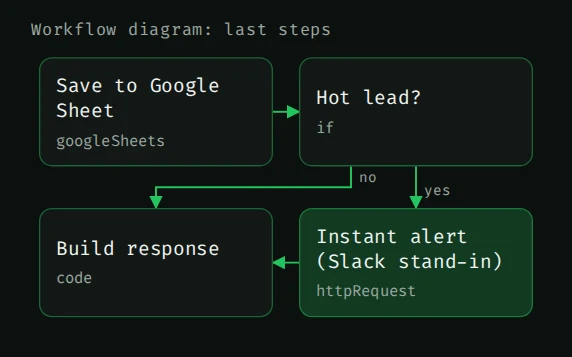
Contact form AI lead qualifier in n8n
A 10-node n8n workflow that reads each website contact form submission, labels it Hot, Warm or Not Relevant with a one-line reason, logs it to Google Sheets and alerts the team on Hot leads only.
An n8n AI agent that picks up each new deal in a HubSpot pipeline, reads the client's history, saves a reply as a Gmail draft, logs it on the timeline, sets the stage and creates a follow-up task.
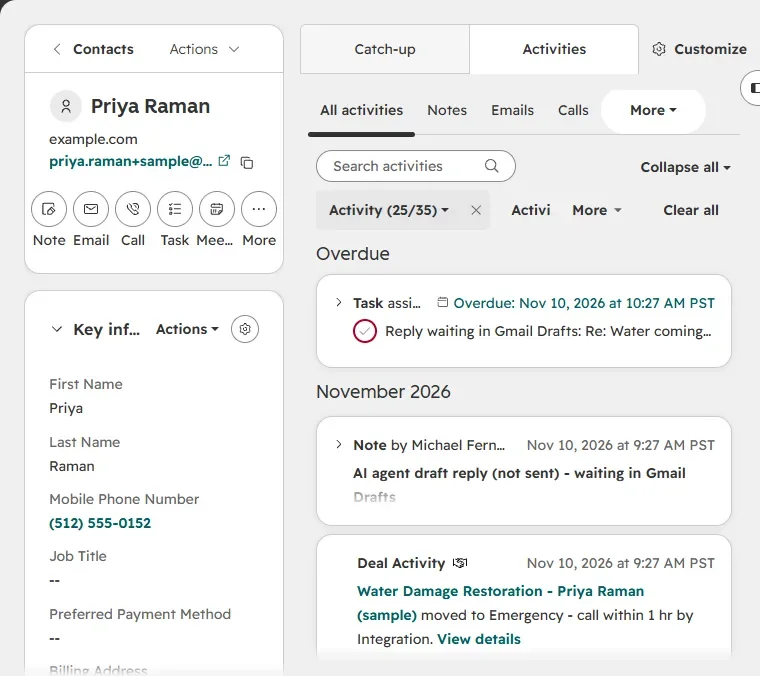
Each new job in the pipeline needs the same first steps: look up the client, read what was said before, write a reply, pick the stage, set a reminder. Done by hand, it is slow, and it gets skipped on busy days.
Two n8n workflows: a 26-node AI agent with 8 tools that works each new deal, and an 11-node workflow that completes the follow-up task once the reply has been sent from Gmail.
When a new deal appears in the pipeline, the agent starts work without anyone pressing a button. It has 8 tools: read the client and their history, read notes, read the deal, find the last Gmail thread, save a Gmail draft, log the draft on the HubSpot timeline, create a follow-up task, and move the deal stage.
The agent chooses among four stages and writes the reply under fixed rules: 90 to 150 words, and never an invented price or date. The reply lands in Gmail as a draft, for a person to read and send.
A second workflow closes the loop. When the reply shows up in the Sent folder, n8n marks the matching "Reply waiting" task in HubSpot as complete.
A guard node sits in front of the agent. In the demo it lets through only sample addresses, one test address of our own, and one pipeline, so the agent only works on test records.
The agent saves drafts and never sends. On the demo portal, new deals are found by a one-minute poll instead of a direct HubSpot trigger, and the deals it works on are sample records.
A 10-node n8n workflow that reads each website contact form submission, labels it Hot, Warm or Not Relevant with a one-line reason, logs it to Google Sheets and alerts the team on Hot leads only.
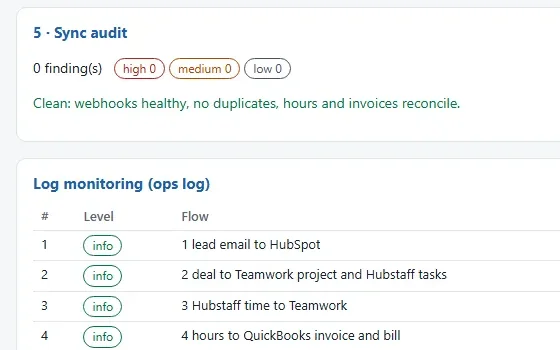
Four n8n workflows that carry a lead from an email into HubSpot, a project tool, a time tracker and a draft invoice, with retries, an error branch, and an audit that finds records the tools disagree on.
Email the founder to arrange a free 45-minute video call. We map your workflow, tools and bottlenecks, and you get a prioritized roadmap.
Michael replies within two business days.