Contact form AI lead qualifier in n8n
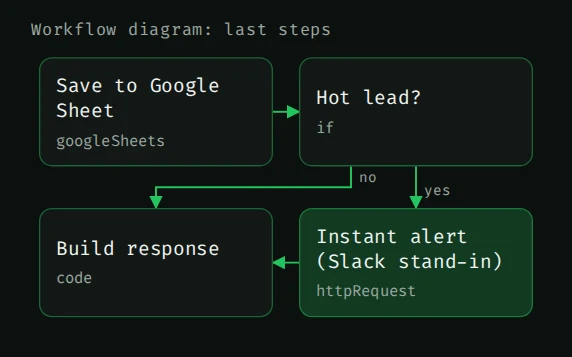
A 10-node workflow. In a live run, 8 sample leads were sorted into 3 Hot, 3 Warm and 2 Not Relevant, all 8 were logged to Google Sheets, and only the 3 Hot leads raised an alert.
- n8n
- Claude
- Google Sheets
We build n8n workflows for businesses whose teams copy data between tools by hand, or whose automations fail without telling anyone.
What you get is a workflow built in your stack and tested before handoff, designed like our demos: it moves a record from one tool to the next without retyping, recognizes a repeat, retries a failed call, logs what it could not fix, and gives an AI step a fixed set of allowed answers.
n8n is a workflow automation tool with nodes for apps such as HubSpot, Google Sheets and Gmail, a Code node for custom logic, and an AI Agent node.
Before
After (what the build is designed to do)
These are demonstrations built on our own n8n instance with sample data. None of them is client work.
A 10-node workflow. In a live run, 8 sample leads were sorted into 3 Hot, 3 Warm and 2 Not Relevant, all 8 were logged to Google Sheets, and only the 3 Hot leads raised an alert.
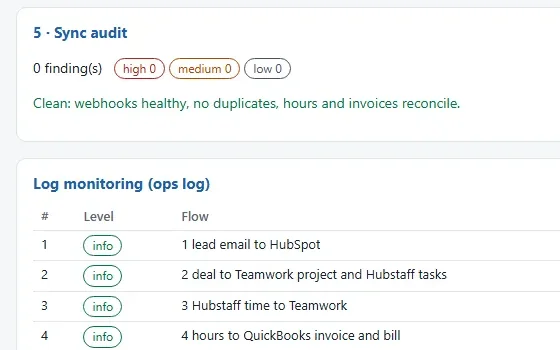
Four workflows carrying a lead from email to CRM to project to draft invoice. The replay passed 8 of 8 scenarios, including a retry, a hard failure and a duplicate. HubSpot was live in the recorded run; the project, time and accounting systems were mocks.
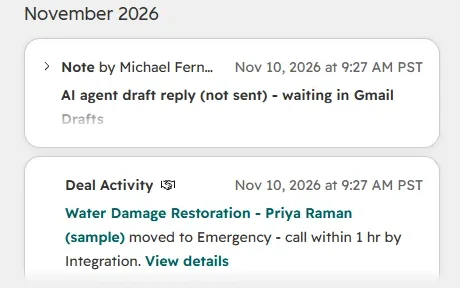
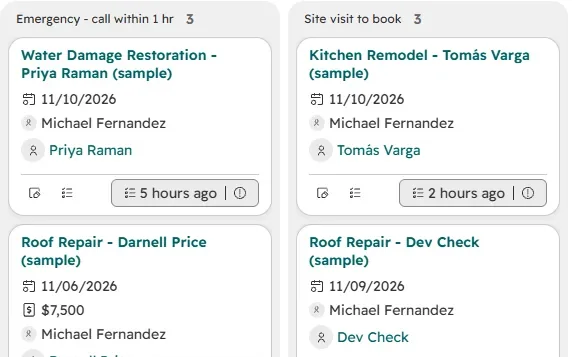
A 26-node agent workflow with 8 tools that drafts a reply, logs it and sets a follow-up task. 3 of 3 sample deals were worked with no manual trigger.
Three workflows, 14 recorded executions, all successful.
For how n8n compares with the alternatives, read n8n vs Zapier vs custom code for lead routing.
For workflows that connect a CRM to another system, see HubSpot automation and GoHighLevel automation. The won HubSpot deal to project and draft invoice guide shows the handoff and retry checks in more detail.
It is a good fit if your process crosses two or more tools with APIs, the steps are the same every time, and mistakes in it cost you money or time.
It is not a fit if the task happens a few times a month and takes a minute, or if the process itself is still changing every week. Automate it once it is stable.
We have two fixed-price packages: $2,500 for a single workflow and $5,000 for a full pipeline across several systems. Larger work is quoted after the free audit.
The $2,500 package is delivered in two weeks. The $5,000 package includes 30 days of optimization after launch.
Both exist. n8n Cloud is billed by workflow executions. n8n can also be self-hosted on your own infrastructure, and its documentation says that without a license key it runs as the free Community edition. Our guide comparing n8n, Zapier and custom code covers the tradeoffs.
No. If what you have works, keep it. Four of the demos on this site are built in n8n, so that is where we can show our work.
In our lead-to-invoice demo, each call to an outside system is tried up to three times. If it still fails, the item goes down an error branch and a line is written to an ops log. The $5,000 package includes monitoring and alerts.
Yes. Three of our demos use an AI model inside an n8n workflow: one labels contact form leads, one drafts replies to client emails, and one is an AI agent with eight tools that works each new HubSpot deal.
The audit is a free 45-minute video call. We map the process that costs your team the most time, and you get a prioritized roadmap afterwards.
Michael replies within two business days.