HubSpot lead triage and AI reply drafts with n8n
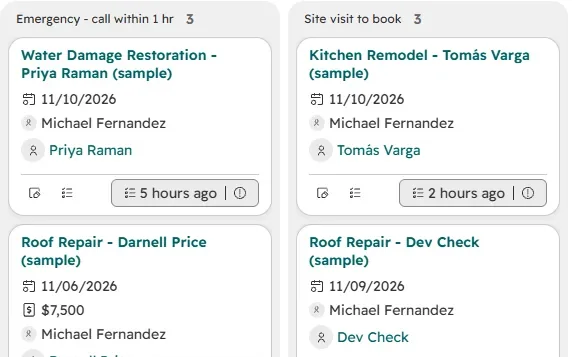
Three workflows; contact, deal, stage, owner and task created in 1.8 seconds; drafts written in 3.6 to 5.4 seconds against a 30-second target.
- HubSpot
- n8n
- OpenAI
This page is for teams already on HubSpot that want new leads sorted, client emails logged and replies drafted without someone doing each step by hand.
In our builds HubSpot holds the contacts, deals, tasks and timeline, and n8n and AI agents do the triage, drafting and syncing around it through the HubSpot API. In our demos a new lead becomes a contact, a deal, an owner and a task, and AI-written replies are saved as drafts for a person to send.
The four demos below were built and tested on a HubSpot demo portal. For the wider picture see CRM automation.
Demonstrations on a HubSpot demo portal with sample data. None is client work.
Three workflows; contact, deal, stage, owner and task created in 1.8 seconds; drafts written in 3.6 to 5.4 seconds against a 30-second target.
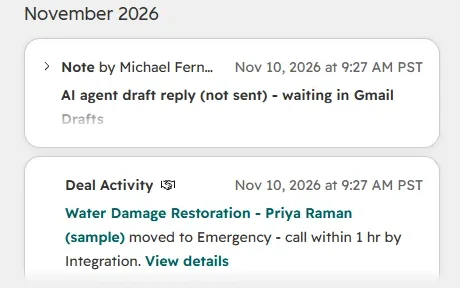
A 26-node agent with 8 tools; 3 of 3 sample deals worked with no manual trigger.
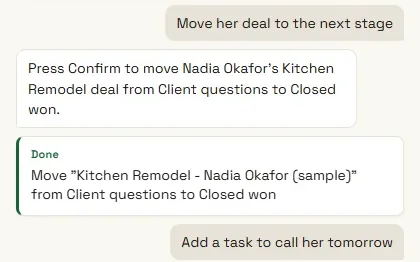
7 HubSpot tools, with every change waiting for a confirm.
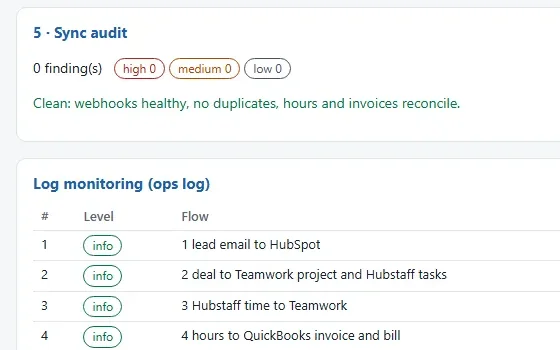
HubSpot live in the recorded run; 4 test records created, then deleted and confirmed gone.
These notes come from our own demo builds on a free HubSpot portal.
For a wider release check on lead-to-appointment flows, see the AI appointment-setting production checklist. Its examples come from our GoHighLevel demos; apply the same error and escalation questions to a HubSpot workflow before it goes live.
If you want the chatbot, calendar, texting and pipeline in one product, look at GoHighLevel automation. If the job is mostly between other tools, start with n8n workflow automation.
Not necessarily. Our demos run on a free HubSpot portal, with n8n doing the triggering and routing. Which plan you need depends on what you want HubSpot itself to trigger.
No. In our builds the AI saves a draft and creates a review task. A person reads it and sends it.
Only if the access we are given includes permission to read email content. Our demo portal's access did not, so the workflow kept its own thread log. Permissions are the first thing to check.
Use HubSpot's own workflows when they cover the job. We reach for n8n when the workflow calls an AI model, needs retries and error handling, or connects HubSpot to several other systems.
We build lead generation and cold email systems for businesses that sell to other businesses and need better lead flow.
See the serviceWhen follow-up depends on someone noticing a new lead, some leads wait and some are never answered.
See the serviceWe build n8n workflows for businesses whose teams copy data between tools by hand, or whose automations fail without telling anyone.
See the serviceWe build AI chatbots and agents for sales and support teams that spend their day answering the same questions and making the same CRM updates.
See the serviceShare your HubSpot screen on a free 45-minute video call. We will look at how a deal moves today and tell you what we would automate first.
Michael replies within two business days.