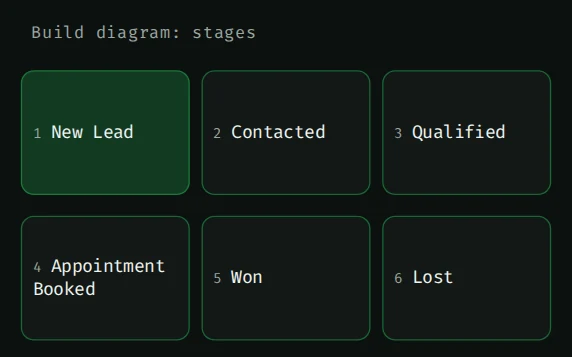
GoHighLevel lead follow-up and booking pipeline
A GoHighLevel pipeline, calendar and five draft workflows for missed-call text-back, follow-up and appointment reminders, with an offline replay that tests the follow-up rules before anything is sent.
A Chrome side panel that sits next to HubSpot or GoHighLevel. You ask it about your pipeline in plain English; it can move a deal or add a task, but only after you press Confirm.
Salespeople lose time clicking through CRM screens to answer simple questions: what needs attention today, where a deal stands, what was said last. Updating a stage or adding a task takes more clicks.
A Chrome side panel extension and a small Node backend with an AI agent. It has 7 HubSpot tools and 5 GoHighLevel tools, a confirm step before any change, a guard on one risky stage, and a spend cap.
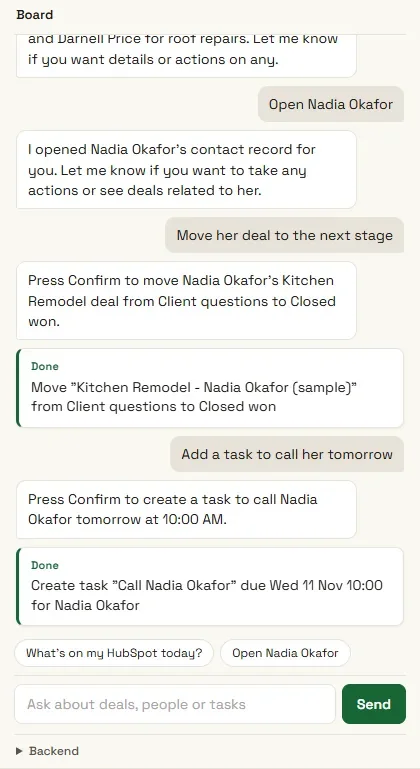
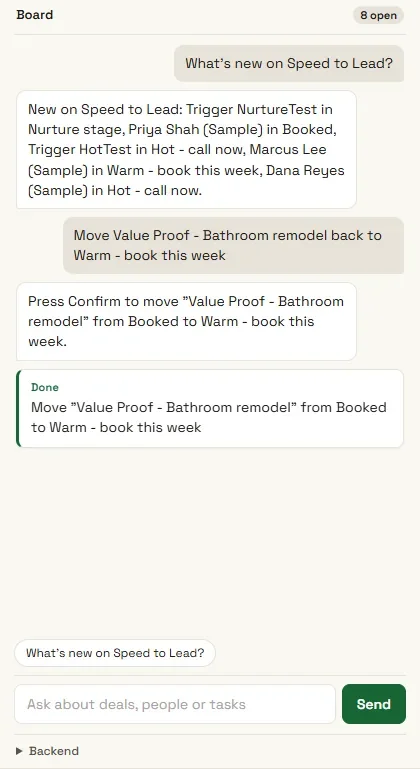
The side panel opens beside the CRM tab and detects whether you are in HubSpot or GoHighLevel. You type a question, such as what needs attention today or what the history is with a contact, and the agent answers from the CRM's own data. It can also open the record it is talking about.
Reading is immediate. Writing is not. When you ask it to move a deal to another stage or add a task, the agent queues the change and shows a confirm card. Nothing changes in the CRM until you press Confirm.
Two more safety rules are built in:
The design brief was that the extension never stores a CRM key. A spend cap stops the agent at $2.50 of model usage.
A scripted tester drove the panel against a HubSpot demo portal and a GoHighLevel pipeline holding test records, and wrote a report for each run.
The board in the panel can lag about 20 seconds behind a confirmed change.
It runs from a local backend and is not published to the Chrome Web Store. It was tested on sample and test records, and the first test runs failed before the later ones passed.
A GoHighLevel pipeline, calendar and five draft workflows for missed-call text-back, follow-up and appointment reminders, with an offline replay that tests the follow-up rules before anything is sent.
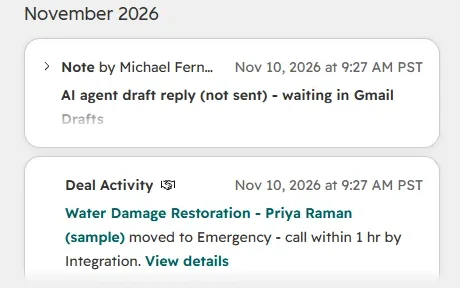
An n8n AI agent that picks up each new deal in a HubSpot pipeline, reads the client's history, saves a reply as a Gmail draft, logs it on the timeline, sets the stage and creates a follow-up task.
Email the founder to arrange a free 45-minute video call. We map your workflow, tools and bottlenecks, and you get a prioritized roadmap.
Michael replies within two business days.