Skip to content
Demonstration - not client work

Contact form AI lead qualifier in n8n

A 10-node n8n workflow that reads each website contact form submission, labels it Hot, Warm or Not Relevant with a one-line reason, logs it to Google Sheets and alerts the team on Hot leads only.

  • n8n
  • Claude
  • Google Sheets
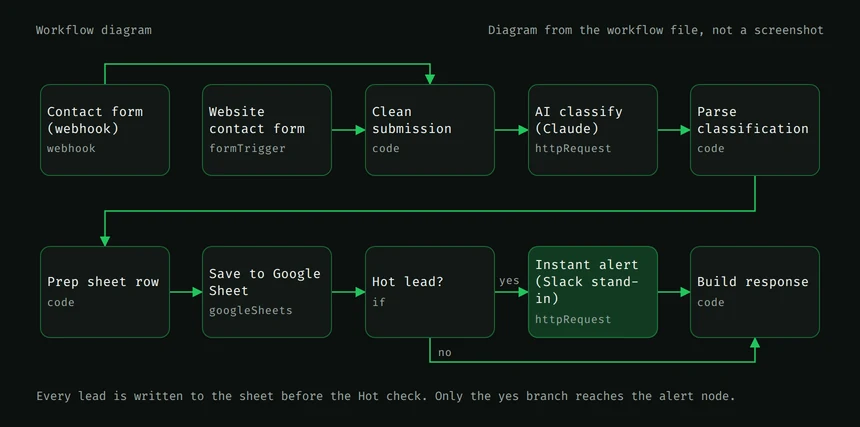
Diagram of the 10-node workflow, from form intake through Claude classification and Google Sheets to the Hot alert, drawn from the build files, not a screenshot.
workflow nodes
10
sample leads
8
Hot leads
3

Problem

Every contact form submission lands in the same inbox. Someone has to read each one to find the few worth a fast call, and the spam and sales pitches get the same attention as real buyers.

What was built

One n8n workflow with 10 nodes: form and webhook intake, cleanup, a Claude classification step, a parser with a safe fallback, a Google Sheets row for every lead, and an instant alert for Hot leads.

What it does

A visitor submits the contact form. n8n cleans the submission and sends it to Claude with a rubric. Claude returns a label (Hot, Warm or Not Relevant), a one-line reason, the service the person is interested in, and how urgent the request sounds.

Every lead is written to a Google Sheet with a follow-up status of New, whatever its label. Only Hot leads trigger an instant alert, so the alert channel stays quiet enough to be taken seriously.

The part that matters most is the fallback. If the AI returns anything outside the three allowed labels, the workflow does not guess. It files the lead as Warm with a note asking a person to check it.

What was built

  • A 10-node n8n workflow: two intake nodes (webhook and form), cleanup, AI classification, parsing, sheet row preparation, Google Sheets write, a Hot check, the alert, and the response.
  • A classification rubric with three labels and a required reason.
  • A script that replays 8 sample submissions for a demonstration.

How it was tested

A live run on 2026-09-24 sent the 8 sample submissions through the workflow. All 8 rows were written to the sheet: 3 Hot, 3 Warm and 2 Not Relevant. Each of the 3 Hot leads produced an alert, and the other 5 produced none.

What it does not do

Verified by a live run on 8 sample leads, not by an automated test suite. No duplicate check or spam protection yet, and the alert goes to a chat channel used as a stand-in.

  • There is no automated test suite. It was verified by the live run above.
  • It does not check for duplicates by email, and it has no honeypot or captcha. Both are listed as next steps.
  • The alert posts to a chat channel standing in for Slack.
  • The rubric is generic. On real leads it needs a day or two of tuning against examples the team agrees on.
  • The sample submissions are dummy data.
Next demoLead-to-invoice sync in n8n with a sync audit

More demos

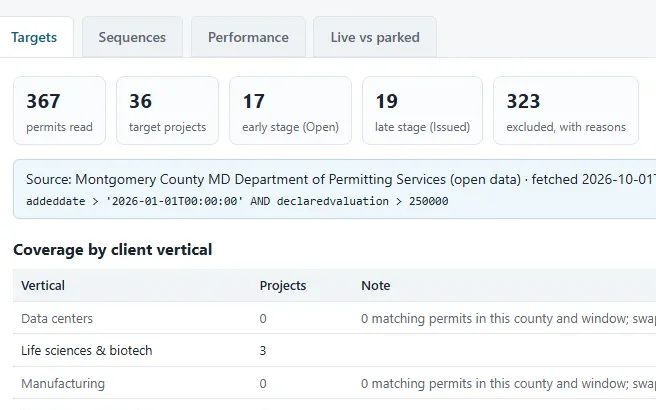
A dashboard of 367 county permits read and 36 ranked target projects.

Permit-triggered outbound planning from public data

A pipeline that turns real county building permits into ranked target projects and stage-aware three-touch email sequences, with every message linted and the export blocked until a real sender is confirmed.
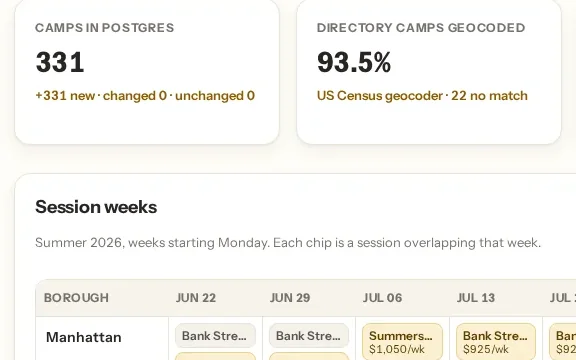
A run report: 331 camps loaded, 93.5% geocoded, and a weekly session grid.

Public-records data pipeline into Postgres

A repeatable pipeline that pulls a public city directory and 18 business websites into one deduplicated Postgres database, with confidence scores and a review queue for anything uncertain.

Start with a free automation audit

Email the founder to arrange a free 45-minute video call. We map your workflow, tools and bottlenecks, and you get a prioritized roadmap.

Michael replies within two business days.