Duplicate records in an automated lead flow come from one place: the automation treats every incoming event as a new lead. The fix is to decide what makes two events the same lead, check that before anything is written, and make the write itself safe to repeat. This guide covers how we approach it, and which parts our own demos have tested.
Where this comes from: the behavior described below is from our demos, which run on sample or test records, and from the vendor pages listed at the end, checked on 2026-11-15. We have not run this against a client's live CRM, and we do not claim a duplicate rate for anyone.
How duplicates get in
In lead qualification flows we see four causes:
- The same person submits twice. A double click, a retry after a slow page, or two forms on the same site.
- The same lead arrives from two sources. A form and an outbound reply, or an ad platform and the website.
- The platform delivers an event more than once. Webhooks and triggers can fire again after a timeout or a retry.
- Your own workflow re-runs. A step failed, someone re-ran the execution, and the steps before the failure ran again.
Causes 1 and 2 are about identity: who counts as the same lead. Causes 3 and 4 are about repeating a write safely.
Step 1: decide the match key
Pick the key before you build. For contacts it is almost always the normalized email address: trimmed, lowercased, with obvious typos rejected. HubSpot's contacts API documentation calls the email address "the primary unique identifier to avoid duplicate contacts," and says additional email addresses are also unique identifiers, so two contacts cannot share one.
For deals there is no natural key. Decide a rule, for example one open deal per contact in a given pipeline, and write it down. Without that rule, a repeat lead creates a second deal even when the contact is correctly reused.
Step 2: check before you qualify
Put the duplicate check ahead of the AI step. In our contact form AI lead qualifier, the order is intake, cleanup, then classification, and the demo page says it does not check for duplicates by email. Every submission is classified and written to the sheet, so a repeat would be classified again and written as a second row. The page lists the duplicate check as a next step.
Checking first has two benefits. A repeat lead does not spend model usage, and it does not get a second, possibly different, label.
Step 3: make the write safe to repeat
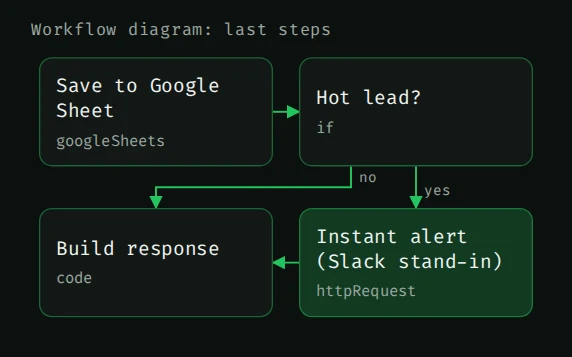
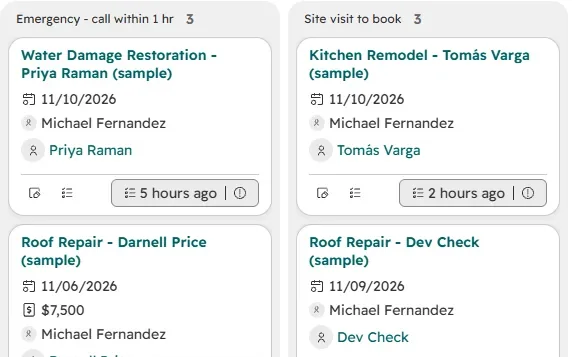
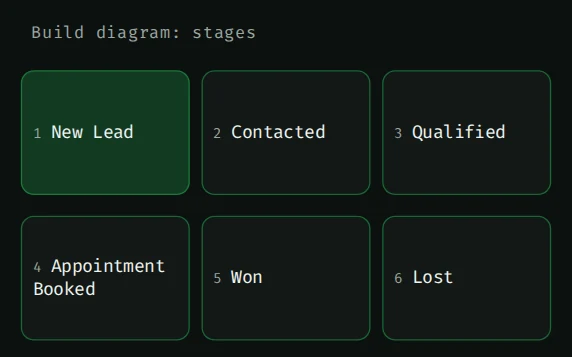
Our HubSpot lead triage workflow is the demo that tests this. It creates or updates the contact, opens a deal, sets the stage and owner, and creates a call-back task. We posted the same lead twice. The second post returned a duplicate flag and the same deal id, not a second deal. That test ran on a HubSpot demo portal with sample records.
Two ways to build that behavior:
- Create or update on the match key. HubSpot's API supports upserts: you pass
idProperty to say whether you are matching on email or on a custom unique property, and the contact is updated if it exists and created if it does not. The same documentation warns that partial upserts are not supported when email is the idProperty. n8n's HubSpot node lists a "Create/Update a contact" operation for the same purpose.
- Search, then branch. Search for the key, update if found, create if not. This works, but see the next section.
For events that carry their own id, store the ids you have processed and reject repeats. Our GoHighLevel follow-up demo does this in an offline replay: an event submitted twice with the same id was rejected as a duplicate and the others were accepted. That tests the decision, not message delivery, and its workflows are drafts that have not been published.
The gap that search-then-create leaves
HubSpot's search documentation says it may take a few moments for newly created or updated records to appear in search results, and that the search endpoints are rate limited to five requests per second per account.
Two consequences follow. A lead that arrives twice within seconds can be searched twice before the first copy is searchable, and both runs create. And a burst of leads, such as an import, can hit the rate limit while the workflow is checking each one. None of our demo pages records a test of either case: the HubSpot triage page says only that posting the same lead twice returned a duplicate flag and the same deal id. If your flow can receive two copies at once, a create-or-update call keyed on email closes the gap for contacts only. For deals, use a create-or-update call on a custom unique property you own (the idProperty route above), a lock or serialized writes, or the processed-event-id store from Step 3. Then test with two simultaneous posts.
Step 4: make re-runs harmless
Cause 4 is the quiet one. In our lead-to-invoice sync, every outside call is tried up to three times, failures go to an error branch and an ops log, and the replay includes a duplicate lead, a retry that failed twice and then succeeded, and a hard failure followed by a re-run. All 8 scenarios passed. The rule behind that result: every write step must give the same outcome when run a second time, because retries and manual re-runs will happen.
Step 5: audit what got through
Checks reduce duplicates; they do not remove the chance of one. The same demo includes a sync audit that reads each connected tool and reports duplicates and records that do not match. On a deliberately broken state it found the problems, and after the live run it reported zero findings. We recommend a scheduled audit for any flow that writes to a CRM.
HubSpot also has its own duplicate management. Its help documentation says it compares property values such as email, first and last name, phone number and company name, and calculates results as new contacts and companies are created. It also says individual duplicate management needs a Professional or Enterprise subscription, and that merged records cannot be reverted. We have not tested HubSpot's tool, so we treat it as a cleanup aid, not a substitute for a check in the workflow.
A short checklist
- Write down the match key for contacts and the rule for deals.
- Normalize the key before comparing.
- Check for a match before the AI step.
- Prefer create-or-update over search-then-create: on email for contacts, on a custom unique property you own for deals.
- Reject repeated event ids.
- Make every write safe to run twice.
- Test two identical submissions at the same moment, not only one after the other.
- Schedule an audit that reports duplicates.
What this guide does not cover
- We have no client result to report. The tests above are on sample or test records.
- No demo test of simultaneous submissions is recorded. The gap described above is from HubSpot's own documentation.
- We have not tested HubSpot's built-in duplicate tool, or Salesforce, Pipedrive or other CRMs.
- Fuzzy matching on names and company names is not covered.
Sources
Checked on 2026-11-15.
If you want a duplicate check designed for your own lead flow, see CRM automation or ask for a free automation audit.