The cost of an AI agent integration depends less on the AI than on what it touches: how many systems, how much access you can grant, how many exceptions matter, and how much the agent is allowed to do without a person. This guide lists the six things we look at, each with an example from our own demos.
Where this comes from: our demos, which are built on sample or test records, and the vendor pages listed at the end, checked on 2026-11-15. We give no price ranges beyond our own published packages, and we have no client results to report.
For reference, we sell two fixed-price packages, $2,500 for a single workflow and $5,000 for a full pipeline, and we quote larger work after a free audit. See pricing for what each includes.
1. How many systems the agent touches
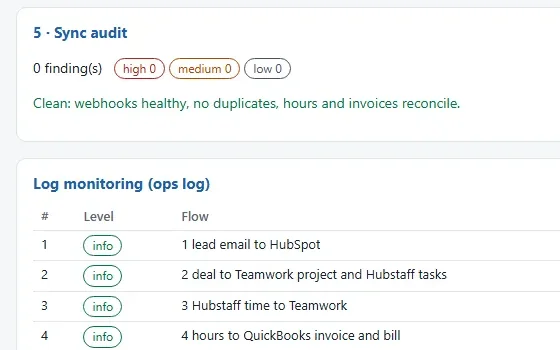
Each system adds access to arrange, an API to learn, and its own failure cases. Our HubSpot AI agent touches HubSpot and Gmail through an OpenAI model, with 8 tools in a 26-node workflow. Our lead-to-invoice sync is built for four systems (HubSpot, a project tool, a time tracker and an accounting system) and needed four workflows of 37 to 109 nodes. In its recorded run only HubSpot was live; the other three were mocks built from the vendors' public API documentation. Both are builds with real scope, and the difference is mostly the number of connections.
2. Access and permissions
What can be built depends on what you can grant. In our HubSpot builds, the demo portal's access changed the design more than once:
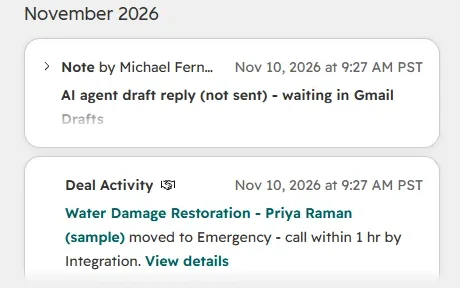
- The HubSpot AI agent could not read the bodies of emails logged in HubSpot, because the demo access lacked that permission. The lead triage demo works around it by keeping its own thread log.
- The same agent cannot create a draft inside HubSpot's one-to-one email tool, since we found no API for it, so drafts live in Gmail.
- A direct HubSpot trigger was not available to us on the free demo portal, so the agent polls once a minute.
On the vendor side, HubSpot's API usage documentation says its limits differ by product tier, with a burst limit that applies per app and a daily limit shared by all apps in the account. Ask which plan and which admin rights you have before scoping.
3. How many exceptions matter
The normal path is cheap. In the lead-to-invoice demo, one of the eight test scenarios is the normal path. The other seven are retries, failures, duplicates and bad inputs. See our guide on preventing duplicate CRM records for one of those exceptions in detail. A longer list of exceptions you care about means more build and more testing.
4. How much the agent may do on its own
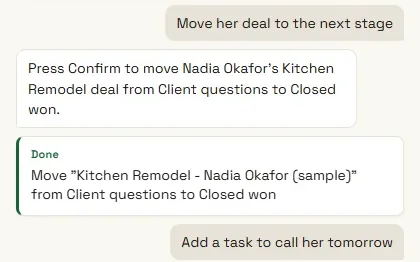
An agent that drafts text for a person to review needs less testing than one that changes records or sends messages. In our demos the choice is deliberate: the HubSpot agents save drafts and never send, and the CRM side panel agent queues every change behind a confirm card and, in GoHighLevel, refuses moves into the stage that starts an automated message sequence. Each added permission moves a project toward the larger package, because each needs its own tests and its own guard.
5. How much the AI step needs testing
The support agent demo has a 30-question test set. On the recorded run, answers were correct on all 30, but the right tool was chosen on 93.3%, meaning two questions used the wrong tool. One scripted question also failed on its first run because the agent wrote a price as "$189.0". Finding those took a test set, and fixing them took time. Budget for the test set and for the fixes it finds. Our guide to evaluating an AI automation lists the checks.
6. The state of your data
If the automation depends on records that are duplicated or inconsistent, cleaning them comes first. Our public records pipeline merged 24 duplicate records, 12 of them across two sources, before anything downstream could rely on the data.
Running costs
You hold and pay for your own CRM, n8n and sending platform subscriptions and your AI model usage, separately from the package price. OpenAI's pricing page bills API usage mainly per token, separately for input, output and cached input, with different rates by model, context length and speed tier. Usage therefore depends on how long the prompts are and how many tool rounds an agent takes, not on how many leads you have alone. n8n Cloud counts one execution per run of the whole workflow, so a 26-node agent run is one execution, but the model calls inside it are billed by the model provider. We do not print rates here because they change; check both pages.
Two controls keep running cost visible. The support agent has a fixed budget of tool rounds so it cannot loop. The side panel agent has a spend cap that stops it at a set amount of model usage. Ask for equivalents in any agent you commission.
What to bring to the audit
- The systems involved and your plan in each.
- Who can grant API access.
- What the agent may do alone, and what a person must approve.
- The three most common ways the process fails today.
- A sample of real records, with names removed if you prefer.
What this guide does not cover
- No price comparison beyond our two packages. Custom quotes depend on the points above.
- No client project is cited. Every example is a demonstration on sample or test records.
- We have not measured model usage cost per lead on a real workload, and do not claim a figure.
Sources
Checked on 2026-11-15.
To scope your own project, see AI agents and chatbots or ask for a free automation audit.